
FindeeKids
A mobile app for family location and communication with children’s watches

Overview
As an independent developer working with GPS Dozor, I contribute to the frontend and FindeeKids mobile app for iOS and Android. The app connects a child’s location, voice messages and family contacts with their watch.
Scope
- iOS and Android mobile app
- User interface and its ongoing development
- Integration with the product backend
01 /Context
FindeeKids is an app for parents who do not yet want to give their child a phone but want to stay in touch. It works with children’s smartwatches: parents can request a location, send a voice message, add family members and decide who can call their child.
I work on the app as an independent developer for GPS Dozor, a brand of TLV, s.r.o. The product is available for iOS and Android.
02 /Problem
The audience is parents who often open the app in a hurry or under stress, without necessarily being technically confident. The interface must provide location and communication immediately, with no learning curve and consistent behaviour across platforms.
The app sits between a person and a device whose inner workings they cannot see: the watch has a limited battery, variable reception and its own logic. Users always need to know how old the displayed location is and what is happening with a message they have sent.
03 /My role and responsibilities
Within the team, I am responsible for the frontend and mobile side of the product: app screens, user flows, backend integration and feature development for iOS and Android.
We develop FindeeKids at GPS Dozor. My role on the team is frontend and mobile development; the backend is a separate part of the product.
04 /Constraints and risks
- Two platforms, one team and one release cadence. Differences between iOS and Android must not result in two different apps.
- A child’s location and family communication require a clear interface and careful handling of information.
- A live product with real users. Every interface change needs to build on what parents already know.
05 /Key decisions
Location with a visible timestamp
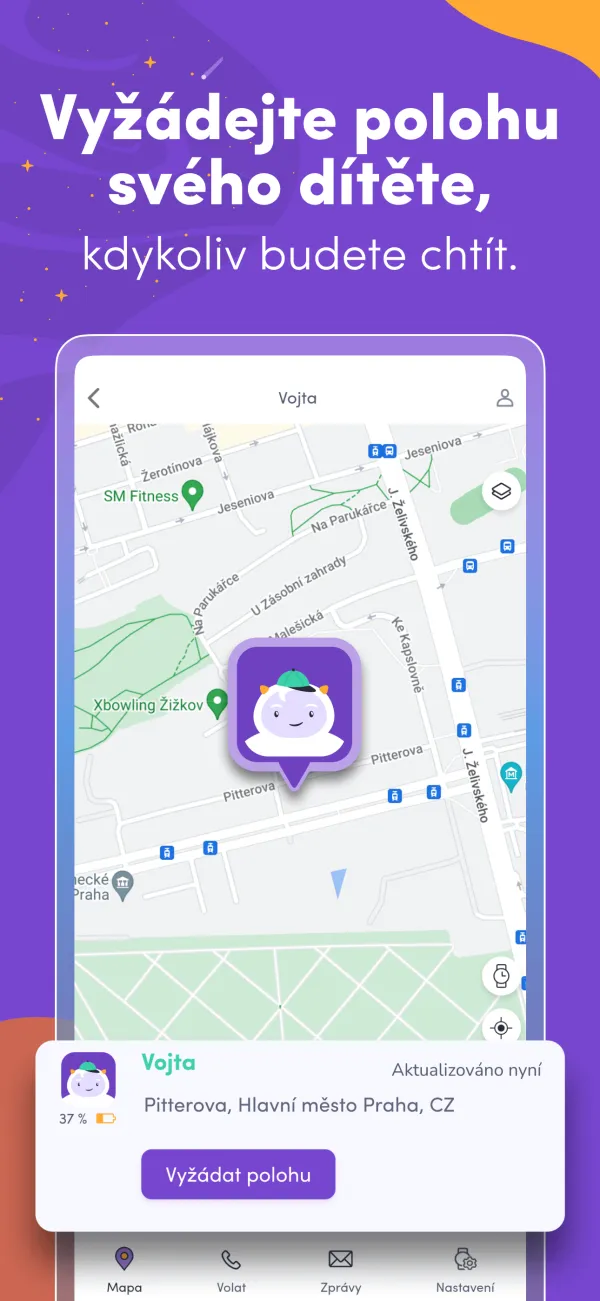
Parents can view or request their child’s location directly on the map. Location status and updates are among the interface’s key pieces of information.
Voice messages as the main channel
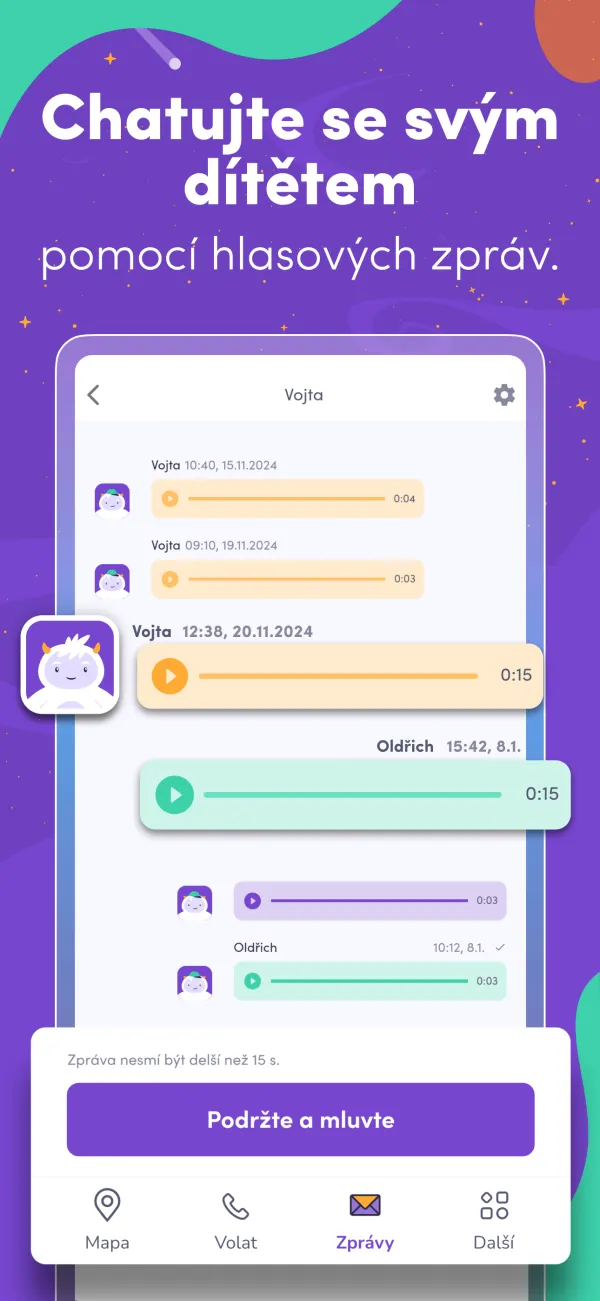
Children do not type on the watch. Communication is therefore based on short voice messages in both directions, presented like a familiar chat in the app.
The family as a unit
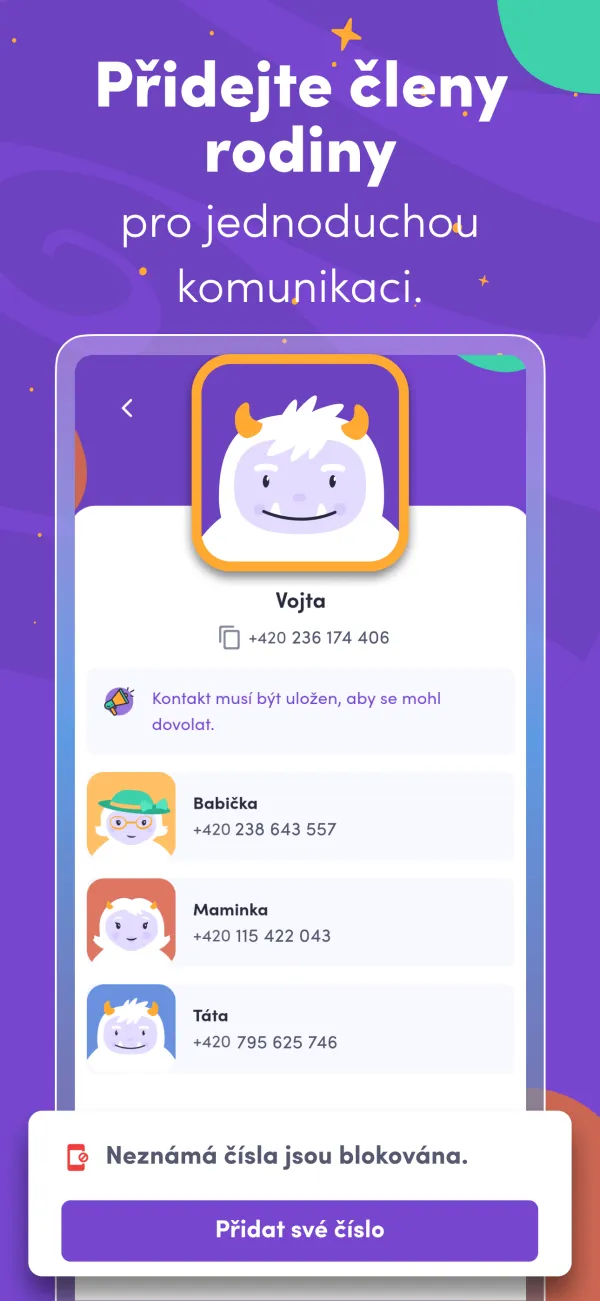
Family contacts and communication are part of the same mobile app as the map.
06 /Architecture
The mobile side connects the map, voice messages and family contacts to the product backend. My role focuses on screens, user flows and integration for both iOS and Android.
07 /UX
The main screen is a map with the location and the time of its last update; requesting a new location takes one button. Voice messages work like a chat familiar to the child from their watch. Family and contact management are separate so that everyday use stays on two screens.
The product’s illustrated, friendly visual style is intentional. The app should feel calm rather than like a surveillance tool.
08 /Technology
iOS, Android, Maps and location, Voice messages
09 /Outcome
The iOS and Android app connects location, voice messages and family contacts. Its frontend and mobile development are part of my work with GPS Dozor.